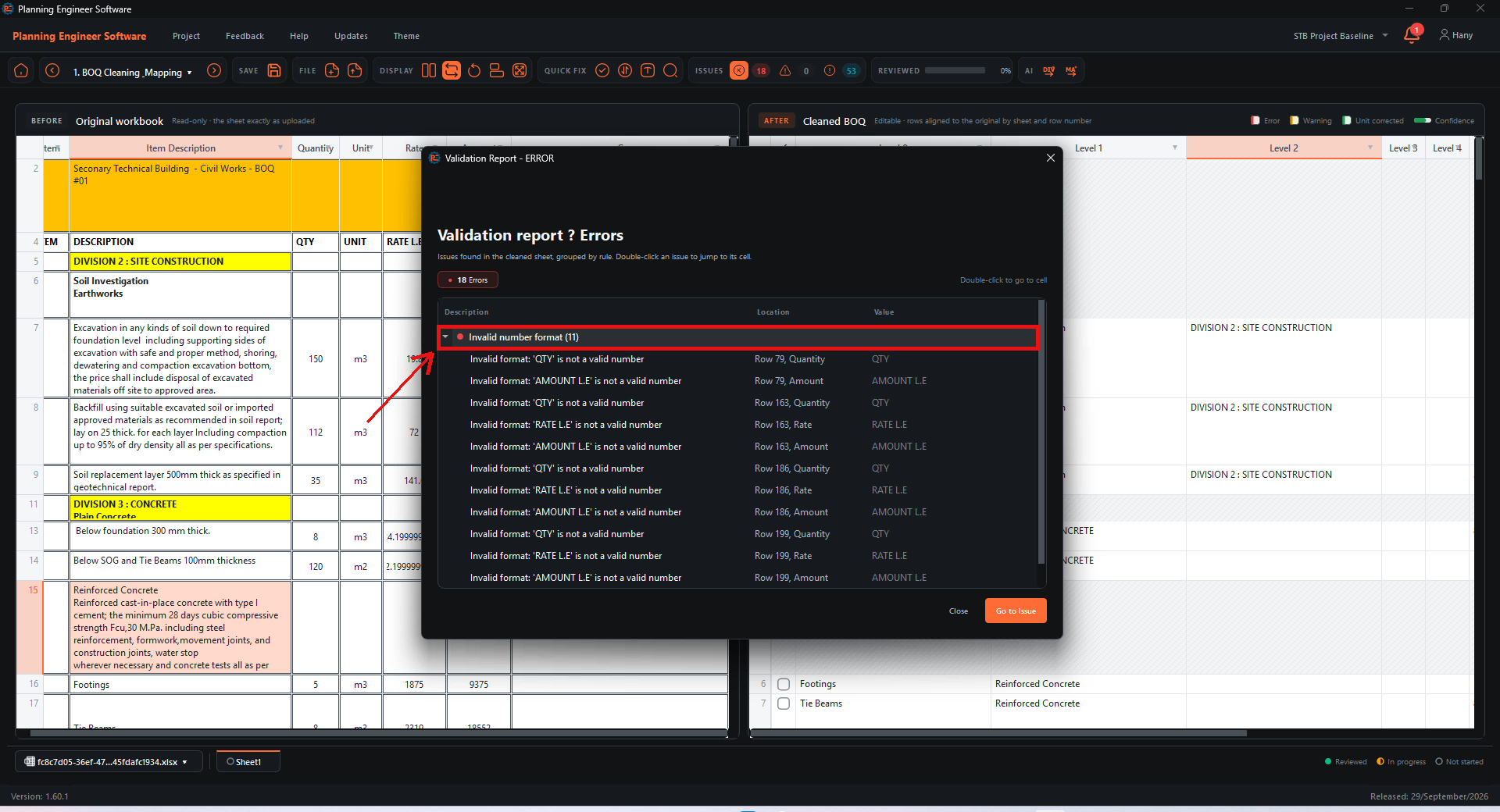
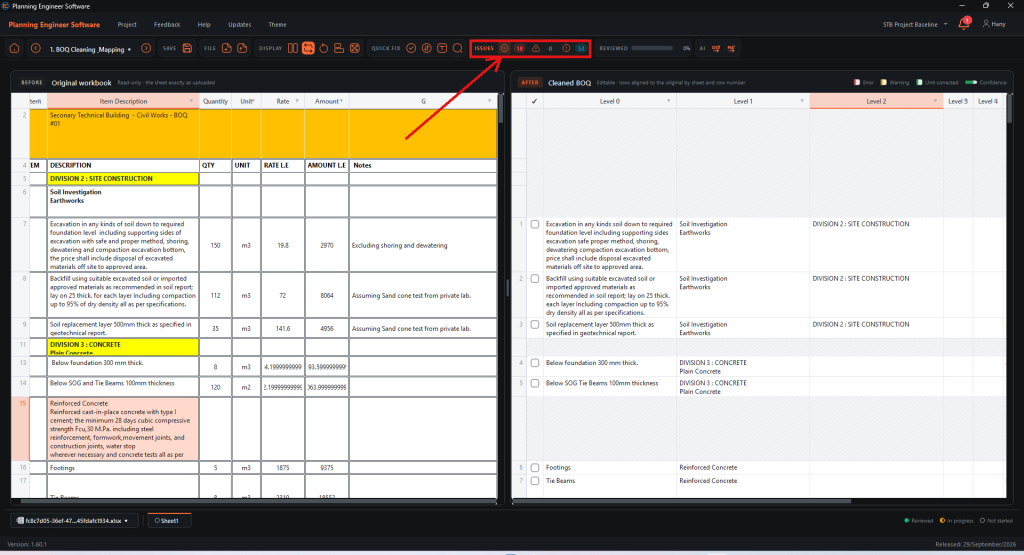
Check the Issues counters
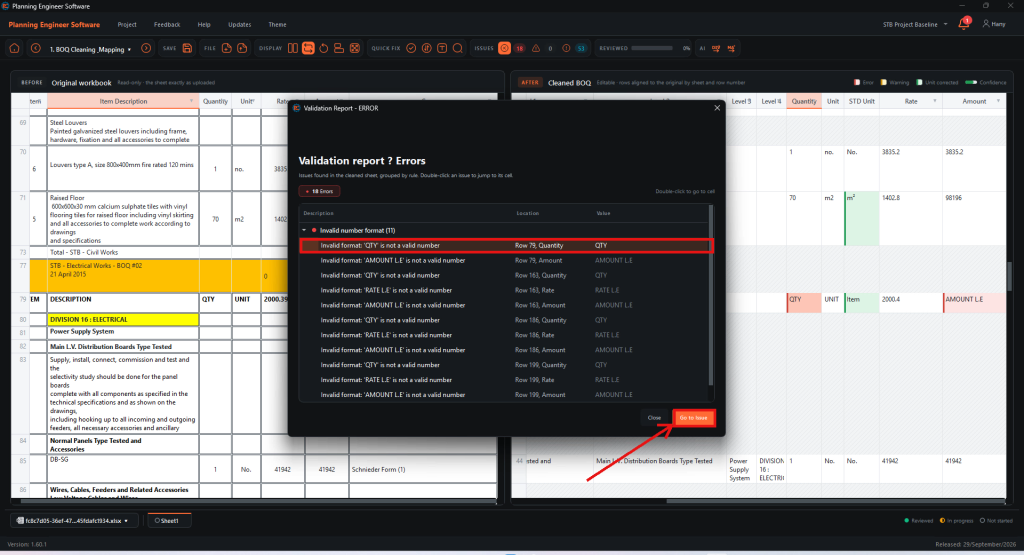
The ISSUES group in the toolbar shows how many Errors, Warnings and Info messages your cleaned BOQ has. Click the Errors icon to open the report.
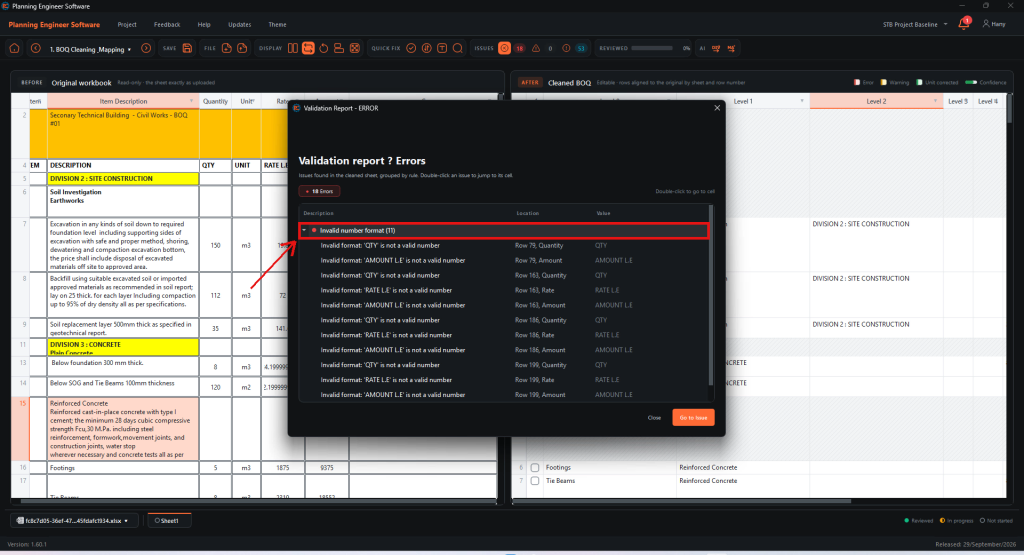
Open an issue group
Issues are grouped by rule (for example Invalid number format). Click a group to expand it.
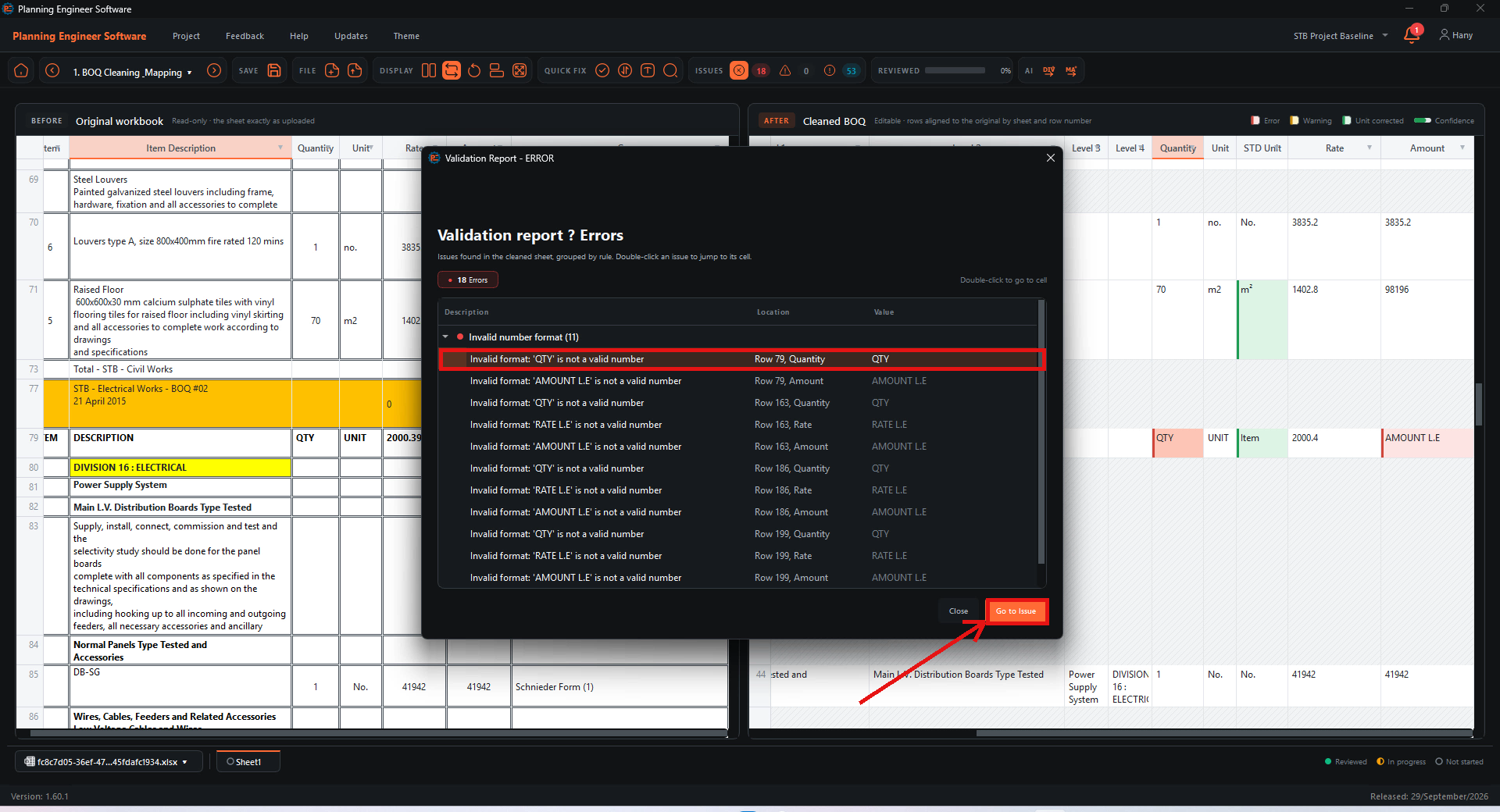
Go to the issue
Double-click an issue, or select it and click Go to Issue.
Fix the cell
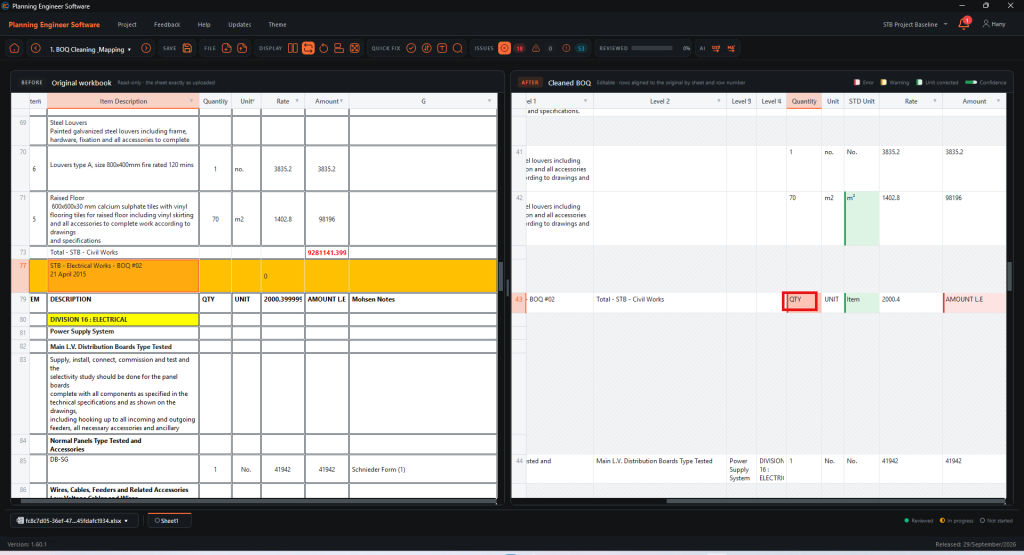
The software jumps to the cell that has the problem, so you can fix it or remove the row.
How to Review BOQ Issues in the Validation Report?
Find and jump to errors in your cleaned BOQ
Guide 15 of 36 in Baseline creating