Open the row
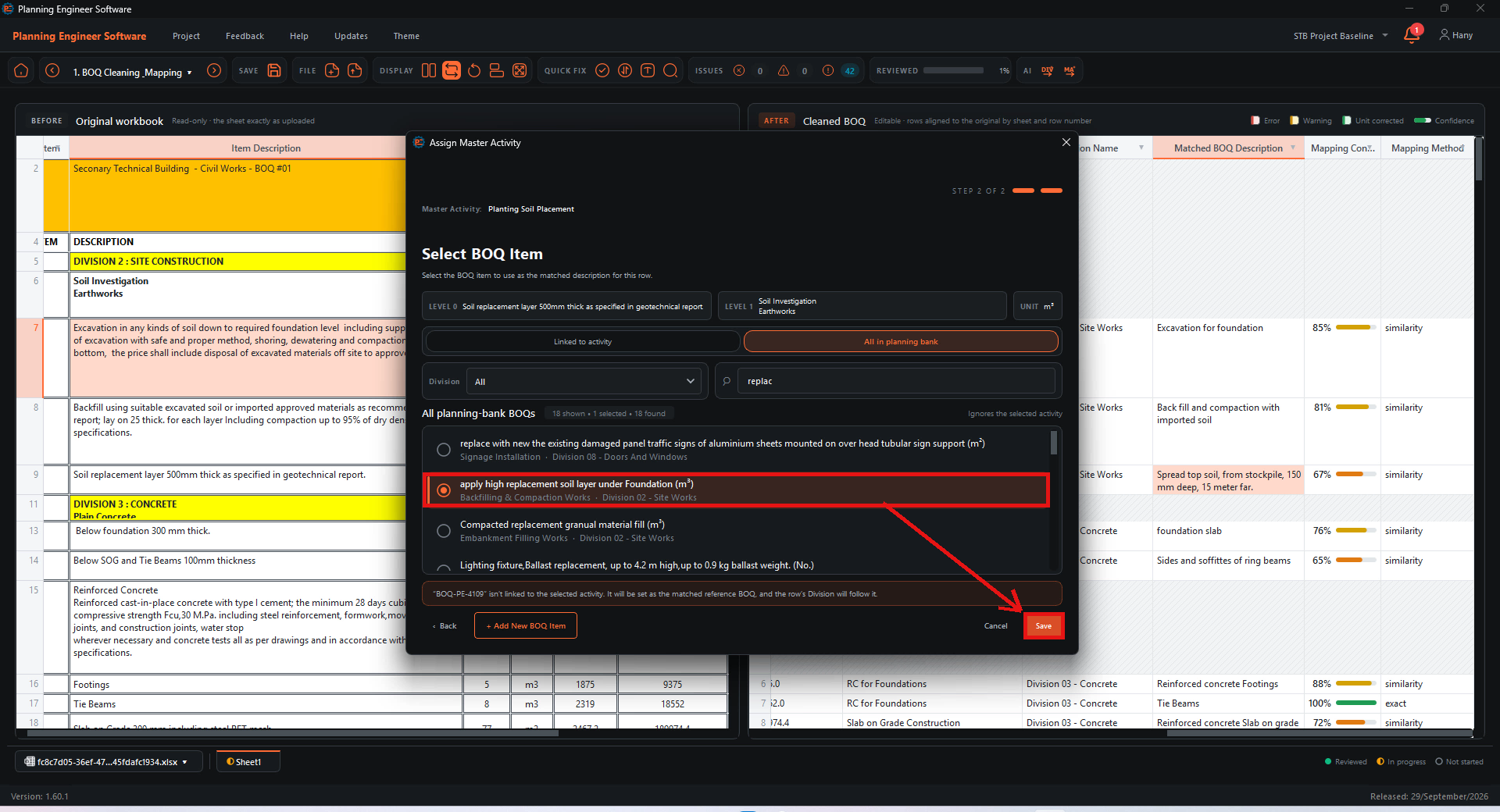
In the Cleaned BOQ, double-click the Matched BOQ Description cell of the row you want to change. The Assign Master Activity window opens.

Search the Planning Bank
Click All in planning bank and type a keyword in the search box.

Select the item and save
Select the correct Planning Bank item, then click Save.

Check the row
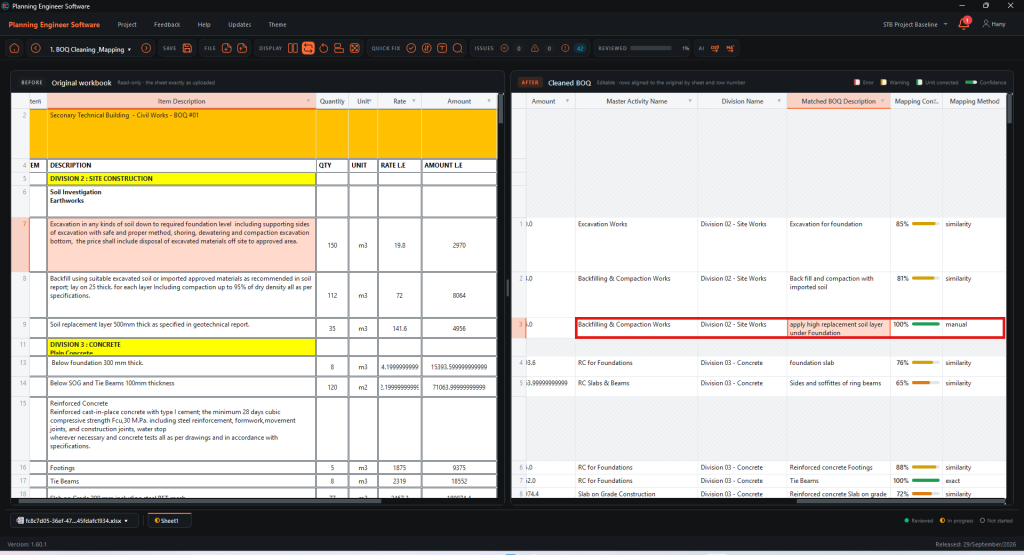
The row now shows the new match, 100% confidence and manual as the mapping method.
How to Change the Master Activity Match Manually?
Pick the right Planning Bank item when the AI match is wrong
Guide 9 of 36 in Baseline creating