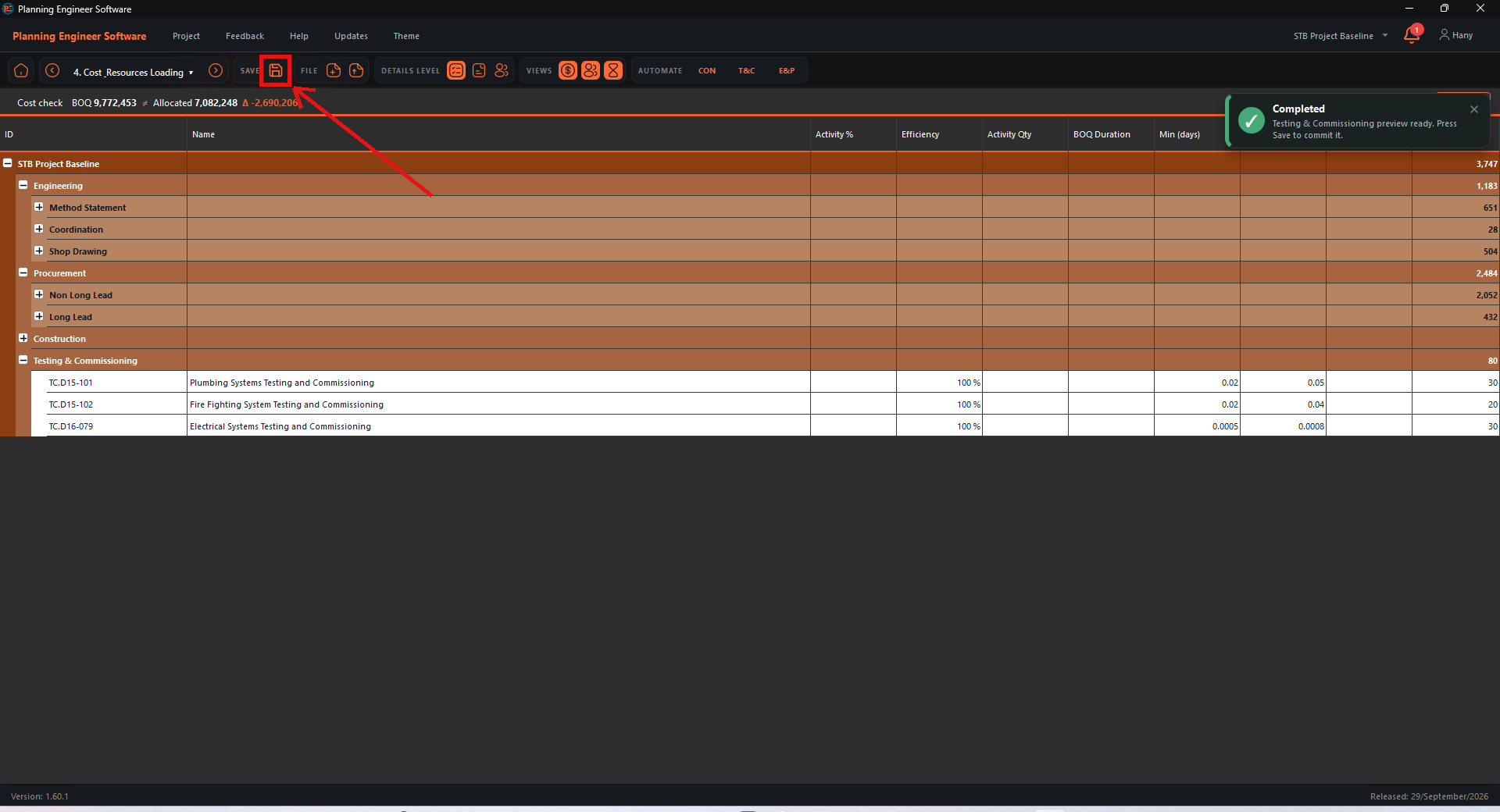
Generate engineering and procurement
Under AUTOMATE, click E&P. The software adds method statements, coordination, shop drawings and procurement (short and long lead) for the construction activities.
Note: These come from the planning bank. You can edit the bank and generate again.
Check the result
The new Engineering and Procurement groups appear above Construction.

Generate testing and commissioning
Click T&C to add the testing and commissioning activities.

Save
Click Save in the toolbar, then go to the next step with the next arrow.

How to Generate Engineering, Procurement and Testing & Commissioning Activities?
Add submittals, procurement and testing activities from the planning bank
Guide 34 of 36 in Baseline creating