
Open the column filter
Click the arrow in the column header (here Division Name).

Choose the values
Untick (Select All), tick the values you want to see (here (Blanks)), then click OK.

Check the filtered rows
Only the matching rows are shown. Here the list is empty, so every item has a division. The orange icon in the header shows that the column is filtered.
Tip: To remove the filter, open it again and click Clear.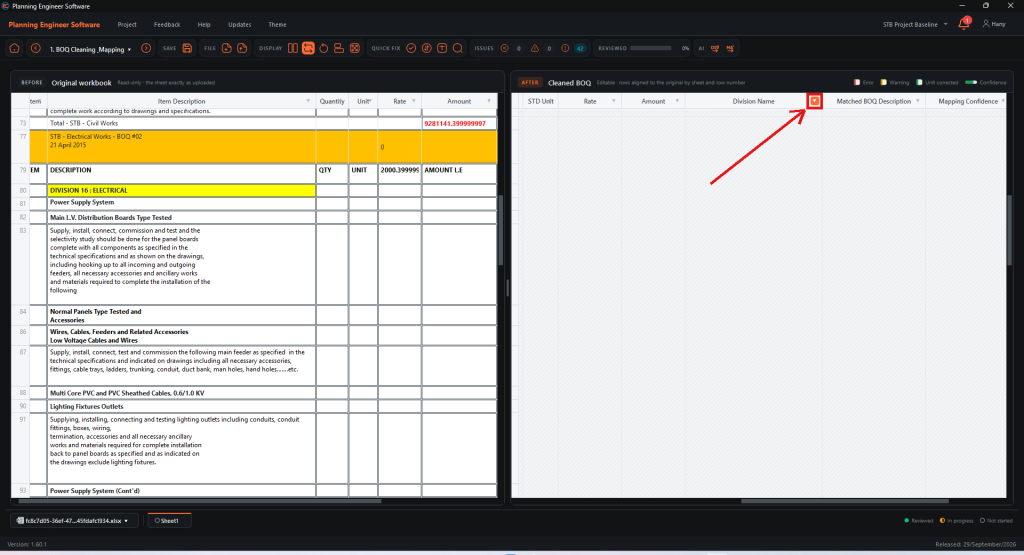
How to Filter a Column in the Cleaned BOQ?
For example, find items with no division
Guide 14 of 36 in Baseline creating


