

Bulk Delete Activity Relationships in P6
Follow these steps to delete Oracle Primavera P6 activity Relationships using Microsoft Excel.
First of all, you need to Export all Relationships in an Excel sheet
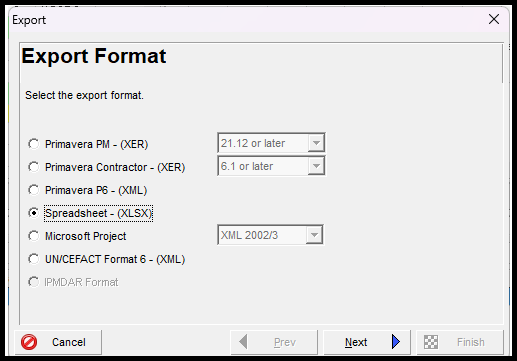
From the File Menu, Choose Export then Choose Spreadsheet (XLSX) and Next
Choose Activity Relationships to be Exported and Click on Next
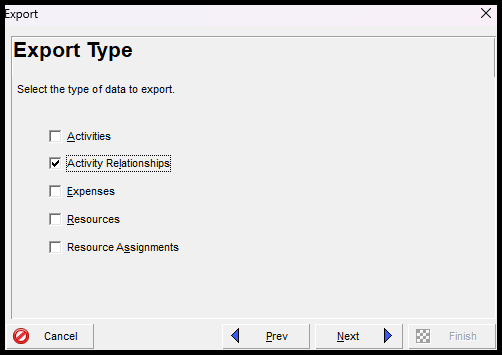
Choose Relationships again and Click on “Modify”

It would be best if you showed all these Columns and click on OK


Primavera Online Basic Course -English
Online Primavera P6 Course for Engineers & Construction Managers Learn how to use Oracle Primavera P6 to plan, schedule, monitor, and control…
- 5,682 students
- WhatsApp support group
- Certificate
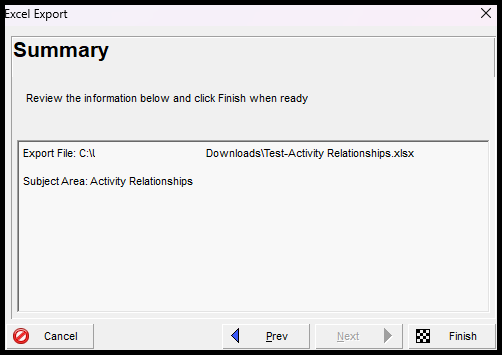
Choose the File destination and Click on Finish
Open the Exported File and at Delete Column Type “d” and drag it till the last activity then save and import it back

Steps to Import the Sheet
From File Menu, Choose Import, and Select Spreadsheet (XLSX)
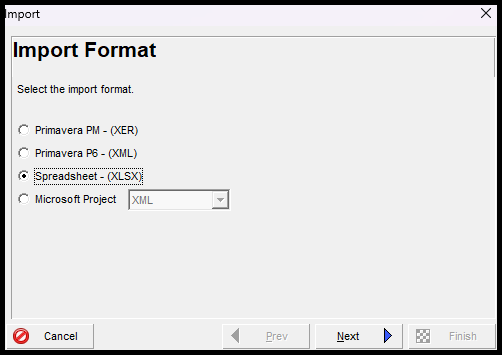
After Choosing the sheet only the Activity Relationships is clickable

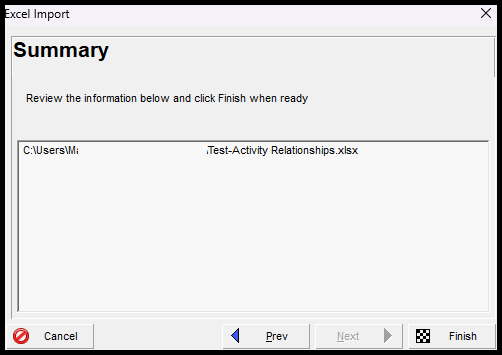
Click finish to finish the Import Process
This is a sample from the project without any relations

There are plenty of Articles, It would be more helpful for the Planning Engineers
https://planningengineer.net/blog/
Download the Resources of this Article
Bulk Delete Relationships in P6 307.70 KB 1087 downloads

Keep in Touch
Join our Email Newsletters and receive FREE weekly useful content!

Keep growing with Planning Engineer
Learn with a clear path
From Primavera P6 basics to claims, cost control and Power BI. Start with our free courses.
Browse coursesGet help on WhatsApp
Every course comes with a private WhatsApp support group where our team answers your questions.
Join a courseFind planning jobs
60 open planning and project control jobs. Post your resume so employers can find you.
See jobsGet tips by email
Free planning tips, templates and course offers. Unsubscribe any time.
Related posts:



You may also like

How to Minimize Total Float in Construction Activities

