

Primavera P6 Integration with Other Project Management Tools
In the complex world of project management, efficiency, collaboration, and real-time data sharing are essential for success. Primavera P6, a leading project management software, is widely recognized for its strong capabilities in scheduling, planning, and resource management. However, large-scale projects often require collaboration across multiple platforms and tools, making seamless integration between Primavera P6 and other project management software a necessity. This article explores how Primavera P6 integrates with other tools, the benefits of these integrations, and practical use cases that highlight their importance.
The Need for Integration in Project Management
Modern construction and infrastructure projects involve multiple stakeholders, from contractors and engineers to financial analysts and procurement managers. These stakeholders often use different tools for specific tasks, such as financial reporting, document control, and resource allocation. Without integration, different data forms can lead to miscommunication, duplicated efforts, and costly errors.

Ready to take your skills to the next level? 🚀 Check out our Special Online Courses! 🚀
Gain valuable insights, boost your career, and learn from industry experts.
Integration between Primavera P6 and other project management tools bridges these gaps. By ensuring a free flow of data across platforms, integration enhances visibility, reduces manual data entry, and promotes consistency across project reports and dashboards.
Common Tools Integrated with Primavera P6 and Their Use Cases
Primavera P6 is highly flexible and integrates with a variety of tools, each performing a definite purpose in project management. If you want to know how to link Primavera P6 with Power BI, you can check our course. Below is an overview of common tools, their integration steps, and their role in enhancing project efficiency:
1. Enterprise Resource Planning (ERP) Systems
ERP tools like SAP and Oracle ERP manage financial management, procurement, and supply chain operations. Integration with Primavera P6 ensures that financial forecasts, procurement schedules, and cost tracking are directly aligned with project timelines. For example, cost overruns detected in Primavera P6 are automatically reflected in the ERP system for financial adjustments.

Steps for Integration:
- Identify key financial and procurement data points for integration.
- Map data fields between Primavera P6 and the ERP system.
- Use middleware, such as Oracle Integration Cloud, to facilitate data exchange.
- Evaluate synchronization for consistency and accuracy.
- Train users in workflow and integration processes.
2. Building Information Modeling (BIM) Tools
BIM tools such as Autodesk Revit focus on 3D modeling and design coordination. Integration with Primavera P6 connects the project schedule with BIM models, enabling better visualization of project timelines and resource allocation. Changes in the 3D model can trigger updates in the project schedule, ensuring alignment between the design and execution phases.

Steps for Integration:
- Export BIM model data into a compatible format.
- Link BIM milestones with Primavera P6 activity timelines.
- Use integration tools such as Autodesk BIM 360.
- Validate updates and alignment between models and schedules.
- Conduct periodic reviews to ensure accurate synchronization.
3. Document Management Systems
Tools like SharePoint and Aconex streamline document sharing and version control. Integration with Primavera P6 ensures that the latest versions of schedules, plans, and other critical documents are always accessible to relevant stakeholders, preventing miscommunication and outdated documentation.

Steps for Integration:
- Establish a central source for documents.
- Configure access permissions for Primavera P6 and document tools.
- Enable automated updates for document changes.
- Validate document flow between systems.
- Provide training on document control workflows.
4. Collaboration Tools
Platforms such as Microsoft Teams and Slack improve communication and task tracking among team members. Integrating these tools with Primavera P6 allows project updates, milestones, and critical alerts to be automatically shared across communication channels, ensuring seamless collaboration.

Steps for Integration:
Primavera Online Basic Course -English
Online Primavera P6 Course for Engineers & Construction Managers Learn how to use Oracle Primavera P6 to plan, schedule, monitor, and control…
- 5,400 students
- WhatsApp support group
- Certificate
- Set up channels linking Microsoft Teams/Slack to Primavera P6 projects (third-party platform/service).
- Enable notification triggers for key milestones.
- Use APIs to synchronize real-time updates.
- Evaluate communication workflows.
- Train teams to utilize integrated communication tools effectively.
5. Financial Management Tools
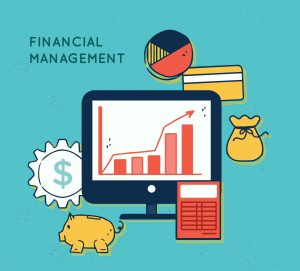
Tools like QuickBooks and Oracle Financials focus on financial planning and expense tracking. Integration with Primavera P6 enables synchronized financial data and project schedules, allowing for better cost control and budget management.
Steps for Integration:
- Map Primavera P6 cost codes with financial tool accounts.
- Enable bi-directional data flow.
- Use middleware for automated data synchronization.
- Validate financial reports for accuracy.
- Provide training on financial integration workflows.
How Integration Enhances Project Outcomes
Integrating Primavera P6 with these tools enhances several key areas of project management:
· Real-Time Data Exchange: Integration ensures that any updates made in one system are instantly reflected across all connected tools.
· Centralized Reporting: Data from multiple sources can be compiled into unified reports, improving decision-making processes.
· Improved Collaboration: Teams using different platforms can collaborate seamlessly without manual data transfers.
· Resource Optimization: Resource allocation across tools becomes more synchronized, preventing overallocation or idle time.
For example, a delay in project scheduling identified in Primavera P6 will automatically adjust procurement timelines in an ERP system, ensuring that materials are not ordered prematurely.
Challenges in Integration and How to Overcome Them
While integration offers numerous benefits, it also comes with challenges:
· Data Mapping Issues: Misaligned data fields between tools can cause synchronization problems.
· Technical Compatibility: Not all tools support direct integration, requiring middleware solutions.
· User Training: Teams may require training to fully utilize integrated systems.
· Data Security: Integration increases the risk of data breaches if proper security measures are not implemented.
These challenges can be mitigated by using experienced integration consultants, selecting compatible tools, and establishing clear protocols for data exchange.
Best Practices for Primavera P6 Integration
To maximize the benefits of integration, project teams should follow these best practices:
· Define Clear Objectives: Identify the key goals and expected outcomes of the integration.
· Select Compatible Tools: Ensure tools are technically compatible with Primavera P6.
· Use Middleware Solutions: Tools like Oracle Integration Cloud can simplify complex integrations.
· Train Teams Effectively: Provide direct training to ensure users understand how integrated systems work.
· Ensure Data Security: Implement encryption and secure authentication protocols.
Conclusion
Integrating Primavera P6 with other project management tools is no longer an extra but necessary for complex, multi-stakeholder projects. By enhancing data accuracy, and improving collaboration, integration empowers teams to make informed decisions, reduce delays, and stay within budget. While challenges exist, they can be effectively addressed through careful planning, technical expertise, and continuous monitoring.
For construction and infrastructure projects aiming to optimize performance and efficiency, embracing Primavera P6 integration is a step toward achieving long-term success.
Download the Resources of this Article
Primavera P6 Integration with Other Project Management Tools 577.82 KB 740 downloads

Keep in Touch
Join our Email Newsletters and receive FREE weekly useful content!

Keep growing with Planning Engineer
Learn with a clear path
From Primavera P6 basics to claims, cost control and Power BI. Start with our free courses.
Browse coursesGet help on WhatsApp
Every course comes with a private WhatsApp support group where our team answers your questions.
Join a courseFind planning jobs
85 open planning and project control jobs. Post your resume so employers can find you.
See jobsGet tips by email
Free planning tips, templates and course offers. Unsubscribe any time.
Related posts:
 Reviewing Contractor’s Progress from a Consultant Point of View
  How to Filter the Delayed Activities for a Milestone in Primavera P6
  The only time you become very important to your organization
  Understanding Merge Hotspot, Diverge Hotspot, and Logic Hotspot in Project Scheduling
  Contractor Rights and Claims Arising from Delayed Payments under Construction Contracts
You may also like

![What Is Included in the Weekly Report [Report Template]](https://planningengineer.net/wp-content/uploads/2025/05/What-Is-Included-in-the-Weekly-Report-Report-Template-600x400.png)
Leave A Reply
You must be logged in to post a comment.
1 Comment
A very useful article and source for learning such high-quality information! I appreciate you sharing this useful information.