

Remove Primavera P6 Actuals using Global Change
Sometimes we need to remove the actuals from a Primavera P6 schedule and convert it back to a baseline schedule without any updates. Here are the steps to remove the actuals using the global change in P6.
1- Change all completed activities to “In Progress” using “Global Change”.
2- Set “Duration % complete” to 0 using “Global Change”.
Ready to take your skills to the next level? 🚀 Check out our Special Online Courses! 🚀
Gain valuable insights, boost your career, and learn from industry experts.
3- Now, set all the activities to “Not Started” using “Global Change”.
4- Run your schedule on the Project Start date.
5- Now, you have a baseline schedule without any update.
First Step:
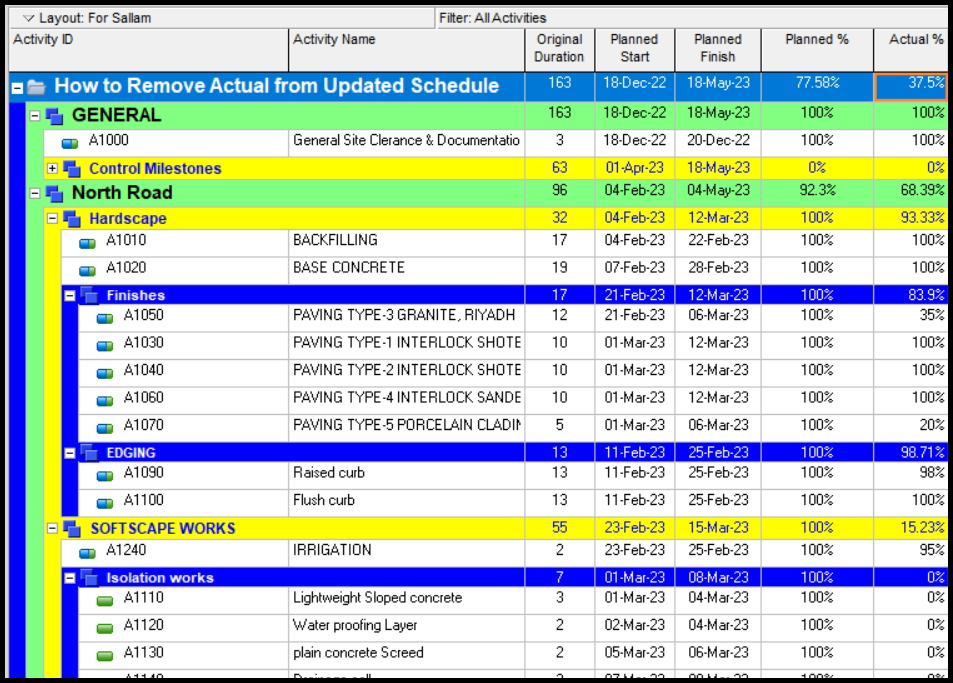
This is an updated time schedule with actuals.
Second Step:
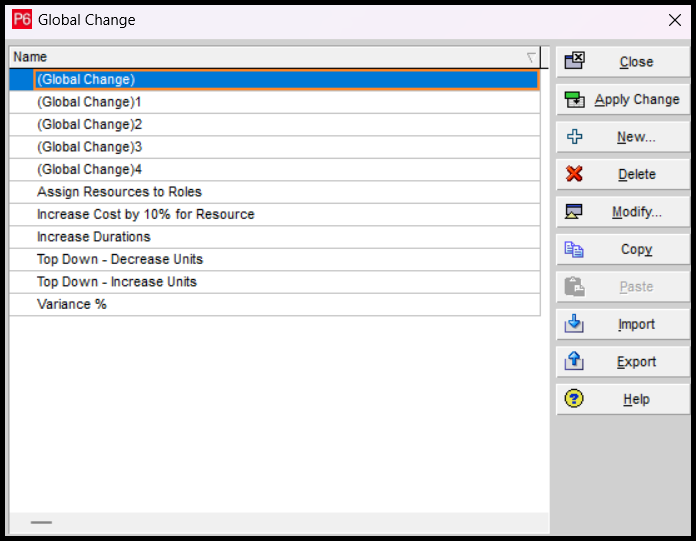
From “Tools” choose “Global Change”.
This window will show up.
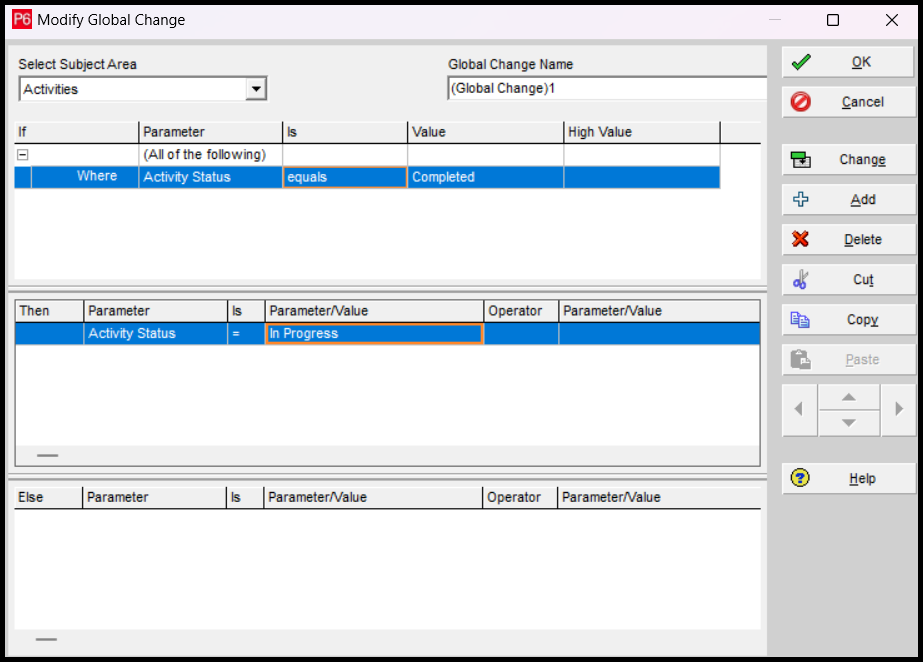
Change all the “Activity status” which equals “Completed” to “In progress”.

Primavera Online Basic Course -English
Online Primavera P6 Course for Engineers & Construction Managers Learn how to use Oracle Primavera P6 to plan, schedule, monitor, and control…
- 5,661 students
- WhatsApp support group
- Certificate
Then, “Apply Changes”.
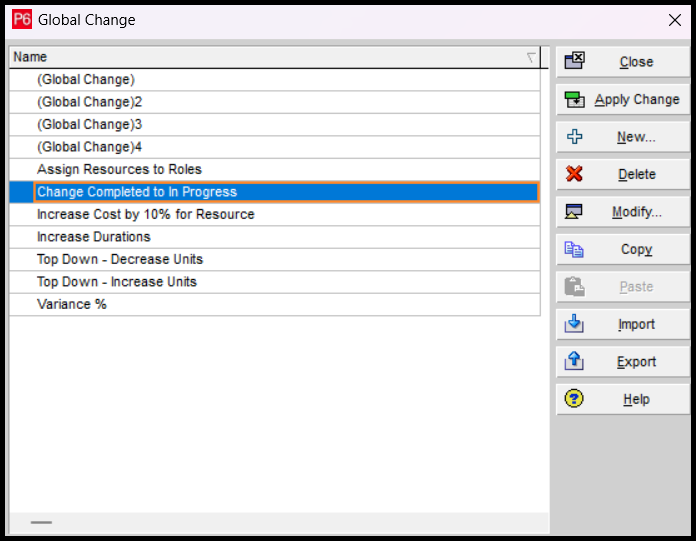
This window shows the activities that have changed then click on “Commit Changes”.

Third Step:
Now, you need to change the “Duration % Complete” to zero which means that we will remove the actuals from the activities.
From “Global Change”, make “Duration % Complete” = 0%. Then, “Apply Changes”.

You may check that all actuals are removed.

Now the schedule is without any actuals.

As you need to convert this schedule to the baseline you need to remove the planned % from it. So, you can schedule it to the project start date.

Now the Planned % is equal to the Actual % which is equal to zero.
So the updated time schedule turns to baseline.

We created a video tutorial too
You can download the following Image and save it on your desktop or mobile to apply the steps immediately

Download the Resources of this Article
Remove Primavera P6 Actuals using Global Change 960.31 KB 4212 downloads

Keep in Touch
Join our Email Newsletters and receive FREE weekly useful content!

Keep growing with Planning Engineer
Learn with a clear path
From Primavera P6 basics to claims, cost control and Power BI. Start with our free courses.
Browse coursesGet help on WhatsApp
Every course comes with a private WhatsApp support group where our team answers your questions.
Join a courseFind planning jobs
68 open planning and project control jobs. Post your resume so employers can find you.
See jobsGet tips by email
Free planning tips, templates and course offers. Unsubscribe any time.
Related posts:
 Small Business Management (Feasibility Study Excel Template)
 Understanding Merge Hotspot, Diverge Hotspot, and Logic Hotspot in Project Scheduling
 Primavera P6 Excel Import/Export Require Microsoft Access [Solved]
 Splitting and Locking Rows and Columns by Freezing Panes in Excel 2010
 The 80 20 Rule in Projects Planning and Scheduling

You may also like

How to Minimize Total Float in Construction Activities

