
Step 1
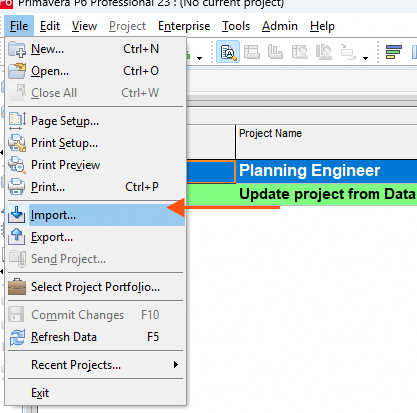
At the Projects Tab, import the updated XER file
Step 2
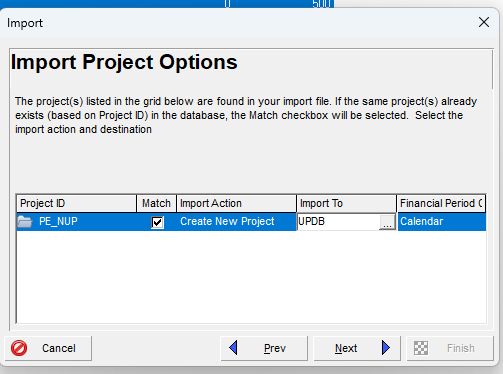
Make sure you create a new project, otherwise the XER file may be imported as an update to an existing project.
Step 3
Schedule the project (press the F9 button) to see the updates


Import the Updated XER File to P6
Import the updated XER file into P6 as a new project and schedule it to see the updates.
Guide 11 of 11 in Updating Tool

