Data Management and Reporting
Develop the ability to manage planning data efficiently and produce clear, professional reports used in real construction projects.
This course is built around practical implementation, not theory, helping you convert raw project data into structured, reliable planning reports.
You will learn how to organize, analyze, and present planning information in a way that supports decision-making and communicates project status clearly.
- Best for: Planning Engineers, Project Controls Engineers, Project Managers, Site Engineers, Technical Engineers
- Focus: Practical data management for planning, Professional planning reports (weekly, monthly, executive), Data analysis and reporting using Primavera & Excel
- Certificate: Yes (downloadable completion certificate)
Instructor: Hany Ismail — Planning Engineer
Course Facts
Quick details:
| Recorded Videos 6 Hours | Practicing Time 14 Hours |
| Access Lifetime Access | Prerequisites (Recommended) Primavera Online Basic Course |
Language: English
If you don’t have an account, it will be created automatically during checkout.
Course Overview
The Data Management and Planning Reporting Skills course is a valuable investment for planning engineers, project managers, construction managers, and site engineers seeking to acquire the necessary knowledge and skills to manage data and report on construction projects in a real-world environment.
Our course is carefully crafted with the help of study techniques and practical content, specifically designed to provide trainees with the right knowledge, content, and support needed to effectively comprehend and apply the theories they learn.

Who needs this course?
Our course is designed for a diverse range of professionals in the construction industry seeking to enhance their data management and reporting skills, ultimately improving the success ratio of large-scale projects. These include:
- Construction managers who aspire to improve their project management skills and enhance their ability to manage complex projects effectively.
- Engineers looking to hone their project reporting and management skills to ensure the success of their planning projects.
- Engineers who wish to transition into planning engineering roles and require the necessary skills and expertise to do so.
- Builders and construction companies looking to take on large-scale or government project management plans.
- Fresh graduates looking to establish themselves in the field of project planning and management.
- Site supervisors seeking to enhance their on-field project management and resource allocation skills.
- Company directors interested in improving project efficiency and success rates.
Our course caters to the needs of individuals at all stages of their careers, providing them with the tools and knowledge necessary to excel in the dynamic field of construction project management.
Course Content
Project Management Plan
The scope of the course will not be limited to study material only, but will also extend to hypothetical applications of planning and reporting techniques. This will be achieved through a project management development plan that will be conducted during the course. The project will aim to enhance the project reporting capabilities and capacities of engineers and will comprise 164 buildings, 170 villas, external works, infrastructure works, and landscape works, with a total value of over 600 million U.S. dollars. The development of this technique as a part of the course curriculum is intended to help engineers refine various skills related to construction reporting and project management, including:
- Time Management (detailed construction time reporting)
- Resource Utilization (develop cost and resource reports)
- Labor Management (monitor the productivity planned vs actual spent Hrs.)
- Procurement (develop materials tracking and monitor the progress)
- Shop drawings (develop shop drawings tracking and monitor the progress)
- Progress reporting (different reports for different project team members)
The course scope is not limited to the reports available in the course lessons. We keep extending the course with new reports and dashboards based on the ideas and requirements learners share in the course WhatsApp support group. The primary objective of the course is to help planning and site engineers/managers enhance their planning and management skills with respect to reporting projects. The course will focus on smart techniques and tools to perform regular tasks faster and more accurately.
Course duration and study method
The duration of the recorded videos is 6 hours, with an additional 14 hours for practice. As we receive feedback and requests for new reports/dashboards, we’ll add new lessons to the course. The course is self-paced, which means that all content is accessible on the portal from day 1.
Trainees can choose what, how, when, and how much they wish to study. Upon registering for the course, trainees will have unrestricted access to the content. The content can be viewed at any time and used again as needed.
“Access to the course curriculum will be made available instantly, once the course registration fee has been paid.”
What will you get from this course?

- Learn the importance of data management in project management.
- Understand the differences between an Excel sheet and an Excel database.
- Learn how to convert an Excel sheet to an Excel database.
- Receive special Excel sheets and macros that will help you distribute project values, man-hours, and quantities by week and month using dates from Primavera.
- Learn how to create an effective database for your project.
- Discover how to link different tables with relationships.
- Learn how to troubleshoot Excel relationship issues.
- Learn how to create powerful dashboards that display planned and actual values based on EVM (Money) and man-hours.
- Discover how to create detailed reports that show planned value, earned value, planned percentage, actual percentage, planned quantity, and executed quantity by updating the database with the actual percentage completed.
- Learn how to identify activities that have spent more working hours than your budget, how many hours your project has lost, and how many hours you have saved.
- Create a project cash flow based on any level of your Work Breakdown Structure (WBS).
- Create reports for man-hours required per month/week and per any WBS category, such as stage, zone, area, etc.
- Learn how to create a report showing the project planned quantity per week/month and per division of work, bill of quantity (BOQ) item, BOQ unit, specific time frame, etc.
- Benefit from continuous improvement as we keep developing new reports based on your ideas and the discussions in the course WhatsApp support group.
- Access the course WhatsApp support group to get answers to your queries and find solutions to various report/dashboard ideas.
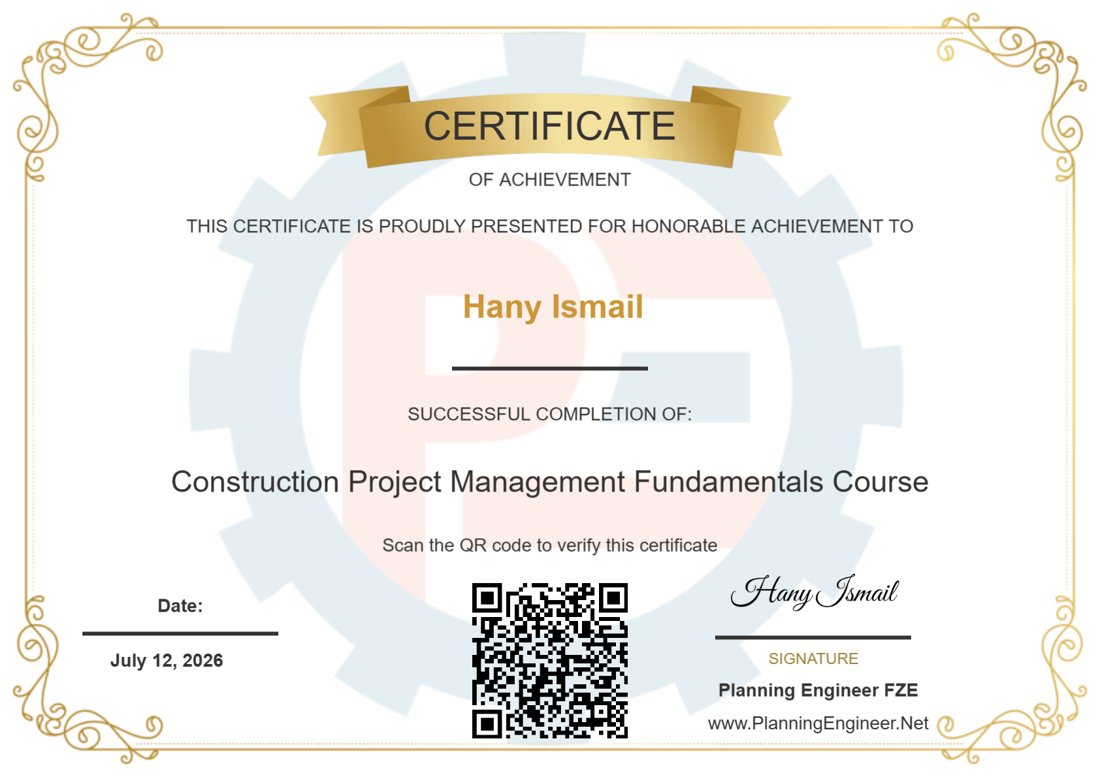
Certificate of Completion
Completing this course and receiving the certificate of attendance can enhance your professional reputation and provide a competitive advantage in the job market. The certificate serves as tangible evidence of your newly acquired knowledge and skills and can demonstrate to potential employers or clients your commitment to professional development.
In addition, having completed this course and earned the certificate can open up new opportunities for career advancement or career change. It can also serve as a foundation for pursuing more advanced courses or certifications in the field of project management and data analysis.
Course WhatsApp Support Group
All enrolled trainees get an invitation to the course WhatsApp support group, where our team answers your questions and helps you develop new reports and dashboards. The invitation link appears at the top of every lesson after you enroll.
Download Course Contents:
If you’re interested in taking additional courses, we suggest enrolling in our advanced planning package which includes this course along with two others, plus a bonus course at a discounted price. Would you like to learn more about this package? click this link: Advanced Planning Package
We Believe in Continuous Improvement – Making Planning Easy for You!
Driven by your questions and feedback, we’ve built an ever-growing Articles Library to support your learning journey. This library is regularly updated with fresh content to address your most common inquiries and requests.
If you don’t find the answer you’re looking for in the list below, don’t worry! Simply post your question in the course WhatsApp support group, and we’ll create a dedicated article to help you and others in the future.
Your feedback fuels our growth – let us know how we can support you better!

Fastest method to export data from primavera p6 to excel
Date Created: March 12, 2024 | 3811 downloads
Project Management Acronyms
Date Created: March 7, 2024 | 2954 downloads
Project Procurement Terms and Definitions
Date Created: March 7, 2024 | 3552 downloads
Top 18 Excel Functions for Engineers
Date Created: October 10, 2023 | 4098 downloads
Weekly and Monthly Reports and Dashboards for Construction Projects [Article]
Date Created: September 5, 2023 | 9649 downloads

Paste values from single cell to merged cell in excel
Date Created: August 13, 2023 | 7054 downloads
Hope Creep in Project Management Progress Reporting
Date Created: May 15, 2023 | 3194 downloads
- 1
- 2
Course Features
- Lectures 21
- Quiz 0
- Duration 20 Hours
- Skill level All levels
- Students 1690
- Certificate Yes
- Assessments Yes
Curriculum
- 6 Sections
- 21 Lessons
- Lifetime
- Introduction4 Items
- Prepare Project DataBase6 Items
- 3.1Reporting 3.1-Good and Bad Database10 Minutes
- 3.2Reporting 3.2-Understand Case Study Project Data13 Minutes
- 3.3Reporting 3.3-Convert Columns To Rows part 112 Minutes
- 3.4Reporting 3.3-Convert Columns To Rows part 213 Minutes
- 3.5Reporting 3.4-Develop Project DataBase45 Minutes
- 3.6Reporting 3.5-Test Project DataBase12 Minutes
- Reports7 Items
- Completion Certificate1 Item
- Share success and leave a review1 Item
- Support Articles Based on your Requests1 Item
Articles library
Practical articles and downloadable files for trainees on this course. New articles are added regularly.
Fastest method to export data from primavera p6 to excel
Date Created: March 12, 2024 | 3811 downloads
Project Management Acronyms
Date Created: March 7, 2024 | 2954 downloads
Project Procurement Terms and Definitions
Date Created: March 7, 2024 | 3552 downloads
Top 18 Excel Functions for Engineers
Date Created: October 10, 2023 | 4098 downloads
Weekly and Monthly Reports and Dashboards for Construction Projects [Article]
Date Created: September 5, 2023 | 9649 downloads
Paste values from single cell to merged cell in excel
Date Created: August 13, 2023 | 7054 downloads
Hope Creep in Project Management Progress Reporting
Date Created: May 15, 2023 | 3194 downloads
- 1
- 2
Questions & answers
Answers from our team to questions students ask in the course support group.
Prepare Project DataBase
QHow should I distribute cost weight when payments are split into advance, delivery, installation, testing and retention?
Follow the methods in this article and apply the one that fits your project: How to Calculate Weight in your Time Schedule?
QThe project value is different between ProjectDatabase R0 and R1. Where is the mistake?
Usually some activities are missing from the weekly distribution. Check that every activity in the database is included in the distribution – in the case reported, two activities (St-S-EX-0-3-2a and St-S-EX-0-3-2b) were missing. Once all activities are included, the totals match.
Reports
QWhat is the difference between ProfessionHRS and EarnedHRS in the ProgressUpdate sheet?
- ProfessionHRS – the actual hours spent by the labour in the project.
- EarnedHRS – the planned (budgeted) hours earned by the labour for the progress achieved.
Comparing the two shows where the project lost or saved hours.
QThe total project value changes slightly after multiplying by the weekly percentages. Why?
The weekly percentages are rounded. Increase the decimals of your percentages (for example, use 30.12% instead of 30.1%) so the weekly distribution adds up to the full project value.
No questions match your search.