

We don’t know what we don’t know! What Planning Engineer Should Know?
As a Planning Engineer, Manager, or even a newbie to the Planning field; there are 3 stages that everyone will pass in his/her career. It is normal to pass through the 3 stages, but what is not normal is to be stuck in stage 3 where you will find yourself after a while way behind your colleagues and your competition in the market is very low. Following are the 3 Stages to take care in which stage you are currently in:
Stage 1 You Know What You Know:
At this stage, you practice and improve the skills you have already. For example, in the planning field, you start learning the Primavera tool and know how to perform planning tasks using your method and you repeat this several times until you are good at it. This is good but not good enough because if you don’t move to Stage 2 you will be stuck in Stage 3 as I will explain below.
Stage 2 You Know What You Don’t Know:
By investigating and searching what is new in the planning field; you will recognize that there are some new planning tools and techniques that you do not know.
Ready to take your skills to the next level? 🚀 Check out our Special Online Courses! 🚀
Gain valuable insights, boost your career, and learn from industry experts.
Therefore, you may consider improving yourself and move forward to stage 1 (know what you know) and keep learning the new planning tools and techniques or you just know it exists and admit that you do not know these things.
The problem when you decide not to know what you know it is exists is after a while you will stop looking at stage 2 and you will move forward to stage 3 below. Stage 3 You don’t know what you don’t know:
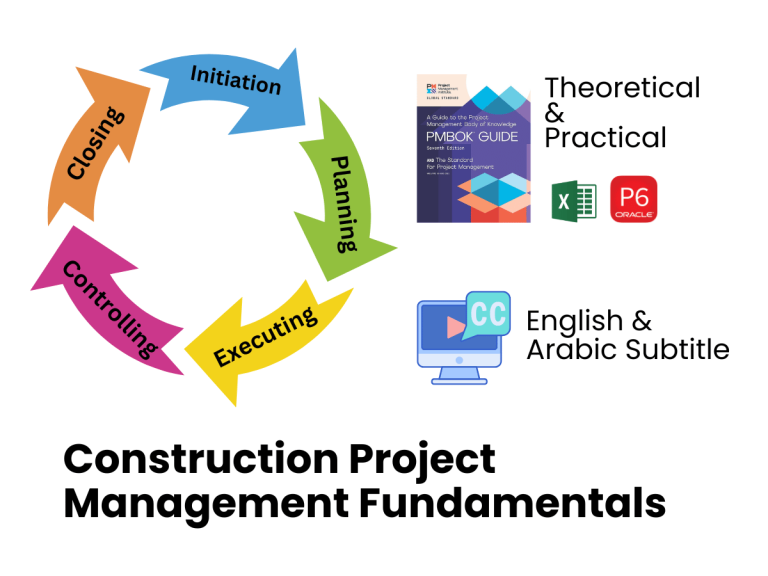
Construction Project Management Fundamentals Course
Learn how real construction projects are planned, managed, and controlled — from initiation to closing — using practical methods to deliver on…
- 7,825 students
- WhatsApp support group
- Certificate
If you decide in stage 2 to pass too many skills without knowing them, you will reach a stage where you will lose interest in knowing what is going on in the planning field. At this stage, it is really dangerous to your existing and future career.
After some time you will become an old fashion, very slow, and your productivity will not satisfy many companies. Even more, you might not be able to find a suitable job with a fair salary because you don’t know their requirements.
Recently -As a Planning Manager- I was involved in several planning engineers’ interviews and I was shocked when engineers claimed that they were professional and did not know essential skills in the planning field. To help you evaluate yourself; I will list down the main skills required to be a professional planning engineer.
A: Evaluation Criteria:
- If you know these skills and you know how to implement them in the planning field; you are excellent (stage 1).
- If you know these skills but you do not know how to implement them in the planning field; you are not qualified and need to work on yourself to learn as soon as possible (stage 2).
- If you never hear about these skills, you are in danger, you are typically in (stage 3).
B: Essential Skills for Planning Engineers:
I will group the below skills in groups (A, B, C, and D)
Group A
- Can read project data and know whom to ask to get missing information
- Can create a loading Excel sheet to distribute the BOQ items to activities
- Understand the Excel tables. this is different than the normal table; this can be done by selecting any range of data in Excel and clicking on Ctrl+T
- Can create a simple Macro in Excel to automate repetitive tasks
- Can create an activities list from BOQ and project drawings
- Understand the productivity rates and able to create Excel resource loading
- Able to develop WBS professionally. By work standard division of work
- Calculate in Excel the Cost and hours for each activity.
- Can import the activities along with cost and resources from Excel to p6
- Can develop shop drawings and materials logs in Excel and import them to p6
- Can use global change in p6 to make bulk actions in p6
- Can perform resource leveling in p6 – not the standard option but manually
- Can export the schedule date from p6 and create separate reports in Excel showing the required quantities for each activity over time – weekly or monthly
- Can create a detailed dashboard in Excel to show the progress based on EVM, working hours, productivity, and other KPIs.
- Know the differences and be able to develop both revised and recovery schedules
Relevant Course for Group A skills
Group B
- Know the concept of claims and EOT
- Know how to find the claim events from project different documents such as RFI, SWI, IR, comments …etc
- Know how to collect and record supporting documents for any claim
- Know how to analyze the events before submitting a claim and how to involve the project team in this exercise
- Know how to build a strong narrative report from the events and prepare a professional EOT report
- Know how to build a strong case for the claim
- Know how to defend your claim case in front of the client
- Understand the different methods of claims analysis techniques
- Understand the main FDIC clauses and construction contracts
Relevant Course for Group B skills
Group C
- Understand the concept of Excel Database and how to store data
- Know the differences between storing data in a good or messy way
- Why we should store data in columns, not rows
- How to store your data in database format and create links between tables in Excel to produce the same data in many ways
- Understand the Pivot Tables and create interactive reports in Excel
- Convert P6 schedule data to Excel reports using pivot tables
- Create dynamic reports in Excel where you change a single value such as data date; all report data will be changed accordingly
Relevant Course for Group C skills
Group D
- Know how to deal with Microsoft Power BI software
- Know how to link Power BI with Excel
- Know how to link Power BI with any P6 schedule
- Know how to convert any P6 schedule to an interactive online report
- Create advanced Interactive / Dynamic Reports using Power BI and share them with the project team via a link where any team member should not have any special program to open and navigate through the data
- Show spent hours VS Planned spent hours using power bi per building, floor, area, activity …etc
- Develop materials and shop drawings logs where you can select building, area, floor …etc, and all relevant engineering works will be filtered accordingly using Power BI
- Show planned VS actual Cost, Resources per floor, Area, building, any data range…etc using power bi
- Develop a look ahead schedule that automatically shows the 4 weeks’ activities based on today’s date and share the online link with the team using Power BI
- Create a Cost Control module to show actual VS budget costs per activity, building, area, zone …etc.
- Able to create Enterprise reports to show all the company projects’ performance and can filter by project, Area, project manager, or any other criteria
Relevant Course for Group D skills
Download the Resources of this Article
We don’t know what we don’t know! What Planning Engineer Should Know? 205.27 KB 5281 downloads

Keep in Touch
Join our Email Newsletters and receive FREE weekly useful content!

Keep growing with Planning Engineer
Learn with a clear path
From Primavera P6 basics to claims, cost control and Power BI. Start with our free courses.
Browse coursesGet help on WhatsApp
Every course comes with a private WhatsApp support group where our team answers your questions.
Join a courseFind planning jobs
117 open planning and project control jobs. Post your resume so employers can find you.
See jobsGet tips by email
Free planning tips, templates and course offers. Unsubscribe any time.
Related posts:
 How to Write an Effective Motivational Statement
 PMI-SP vs AACEI-PSP | Which exam is better for you?
 How to Filter the Delayed Activities for a Milestone in Primavera P6
 Understanding Merge Hotspot, Diverge Hotspot, and Logic Hotspot in Project Scheduling
 How to connect Primavera P6 to Power BI (Full Guide)

You may also like

How to Minimize Total Float in Construction Activities

